1. R Fundamentals
1.2. Core Programming Concepts in R
1.2.1 Programming Rules in R
Before you write a single line of code, establish a solid foundation of style, structure, and safety. Following well-agreed rules makes your scripts easier to read, debug, and share.
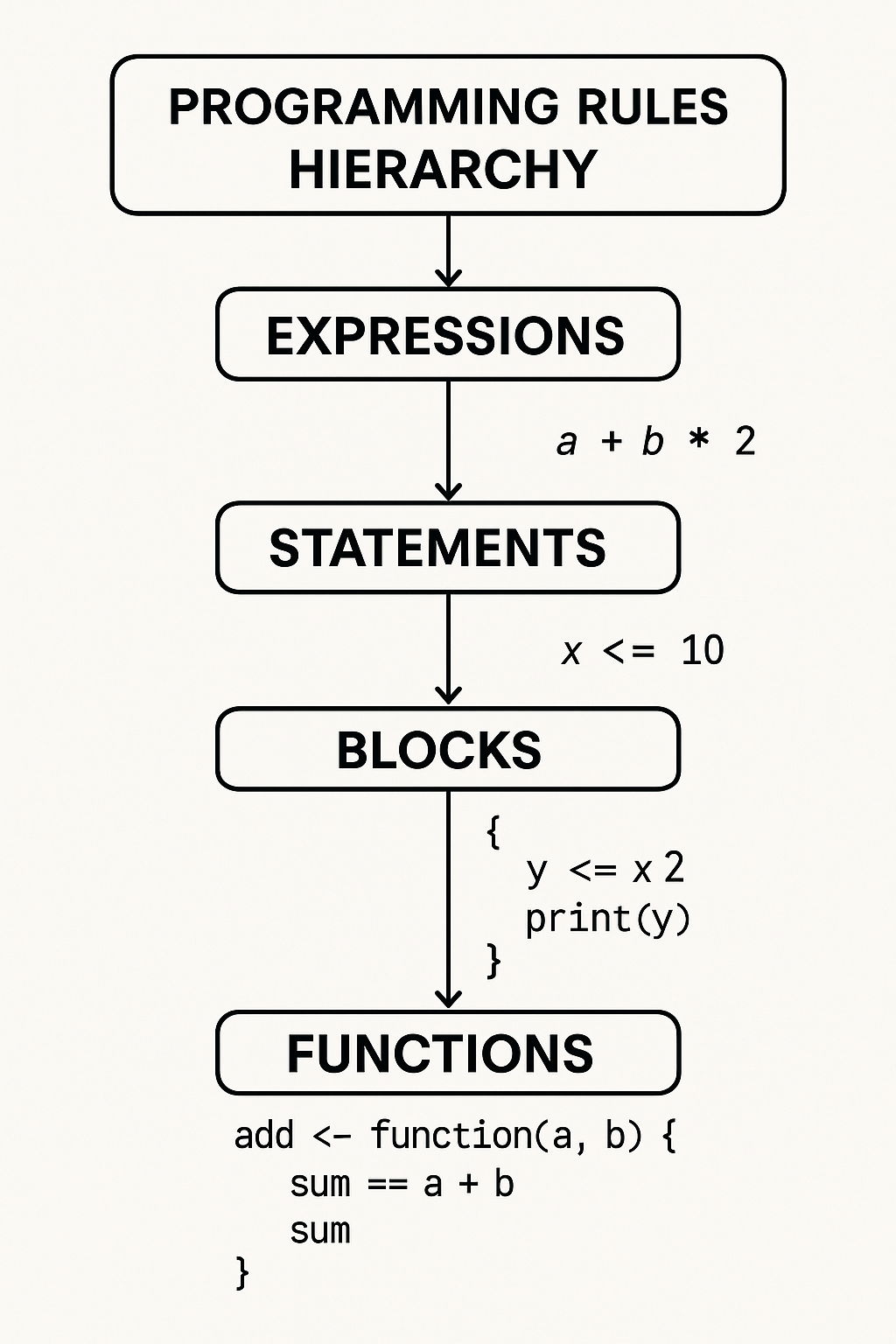
Case Sensitivity
- R treats uppercase and lowercase letters as different. For example,
Dataanddataare two separate objects. - Example:
x <- 5 X <- 10 print(x) # Output: 5 print(X) # Output: 10 - Always be consistent with your variable and function names.
- R treats uppercase and lowercase letters as different. For example,
Object Naming
- Names can include letters, numbers, dots (
.), and underscores (_), but must not start with a number or underscore. - Avoid using reserved words such as
if,else,for,function, etc. - Use descriptive names to make your code readable.
- Examples:
total_sum <- 100 # Valid total.sum <- 200 # Valid 1stValue <- 10 # Invalid: starts with a number _temp <- 5 # Invalid: starts with underscore if <- 10 # Invalid: reserved word - Good practice:
average_score <- 85
student_name <- "John"
- Names can include letters, numbers, dots (
Assignment Operators
- Use
<-(preferred in R) or=for assignment. - Example:
x <- 10 y = 20 - Avoid using
->unless necessary for readability. - Do not confuse assignment with equality check (
==).
- Use
Commenting
- Use
#to add comments. Comments are ignored during execution and help explain your code. - Example:
# Calculate the sum of two numbers sum <- 5 + 3 - Comment your code generously, especially for complex logic.
- Use
Code Structure
- Organize code into logical blocks and use indentation for clarity.
- Use blank lines to separate sections.
- Example:
# Input
a <- 5
b <- 10

# Processing
result <- a + b

# Output
print(result)
Function Naming
- Use verbs to indicate actions, e.g.,
calculate_mean,plot_graph. - Stick to a consistent naming style:
snake_caseorcamelCase. - Example:
calculate_mean <- function(x) {
  mean(x)
}
- Use verbs to indicate actions, e.g.,
Avoid Hardcoding
- Use variables and parameters instead of hardcoded values.
- Example:
# Bad practice
area <- 3.14 * 5^2

# Good practice
radius <- 5
pi_value <- 3.14
area <- pi_value * radius^2
Consistent Formatting
- Use consistent indentation (2 or 4 spaces).
- Add spaces around operators for readability.
- Example:
# Good formatting
total <- a + b

# Poor formatting
total<-a+b
Error Handling
- Use
tryCatch()to handle errors and prevent script crashes. - Example:
result <- tryCatch({
  log(-1)
}, warning = function(w) {
  print("Warning occurred")
  NA
}, error = function(e) {
  print("Error occurred")
  NA
})
- Use
Script Organization
- Place reusable code in functions.
- Split large scripts into smaller, manageable files.
- Example:
# In utils.R
calculate_area <- function(radius) {
  pi * radius^2
}
# In main script
source("utils.R")
area <- calculate_area(5)
Documentation
- Document functions with comments describing their purpose, inputs, and outputs.
- Example:
#' Calculate the mean of a numeric vector
#' @param x Numeric vector
#' @return Mean value
calculate_mean <- function(x) {
  mean(x)
}
Modularity
- Break your code into small, reusable functions that each perform a single task.
- This makes code easier to test, debug, and maintain.
- Example:
calculate_area <- function(radius) {
  pi * radius^2
}
print(calculate_area(3))
Consistent Use of Quotation Marks
- Stick to either single (
') or double (") quotes for strings, and be consistent throughout your code. - Example:
name <- "Alice"
greeting <- 'Hello'
- Stick to either single (
Avoid Deep Nesting
- Limit the use of deeply nested loops or conditionals for better readability.
- Refactor complex logic into separate functions if needed.
Use Meaningful Messages in Errors and Warnings
- Provide clear, informative messages when using
stop(),warning(), ormessage().
- Provide clear, informative messages when using
Project-Level Best Practices
- Folder layout: keep
R/,data/,output/,docs/, andtests/at the top level for predictability. - Version control: commit early & often; hook continuous integration (e.g., GitHub Actions) to run
R CMD checkautomatically.
- Folder layout: keep
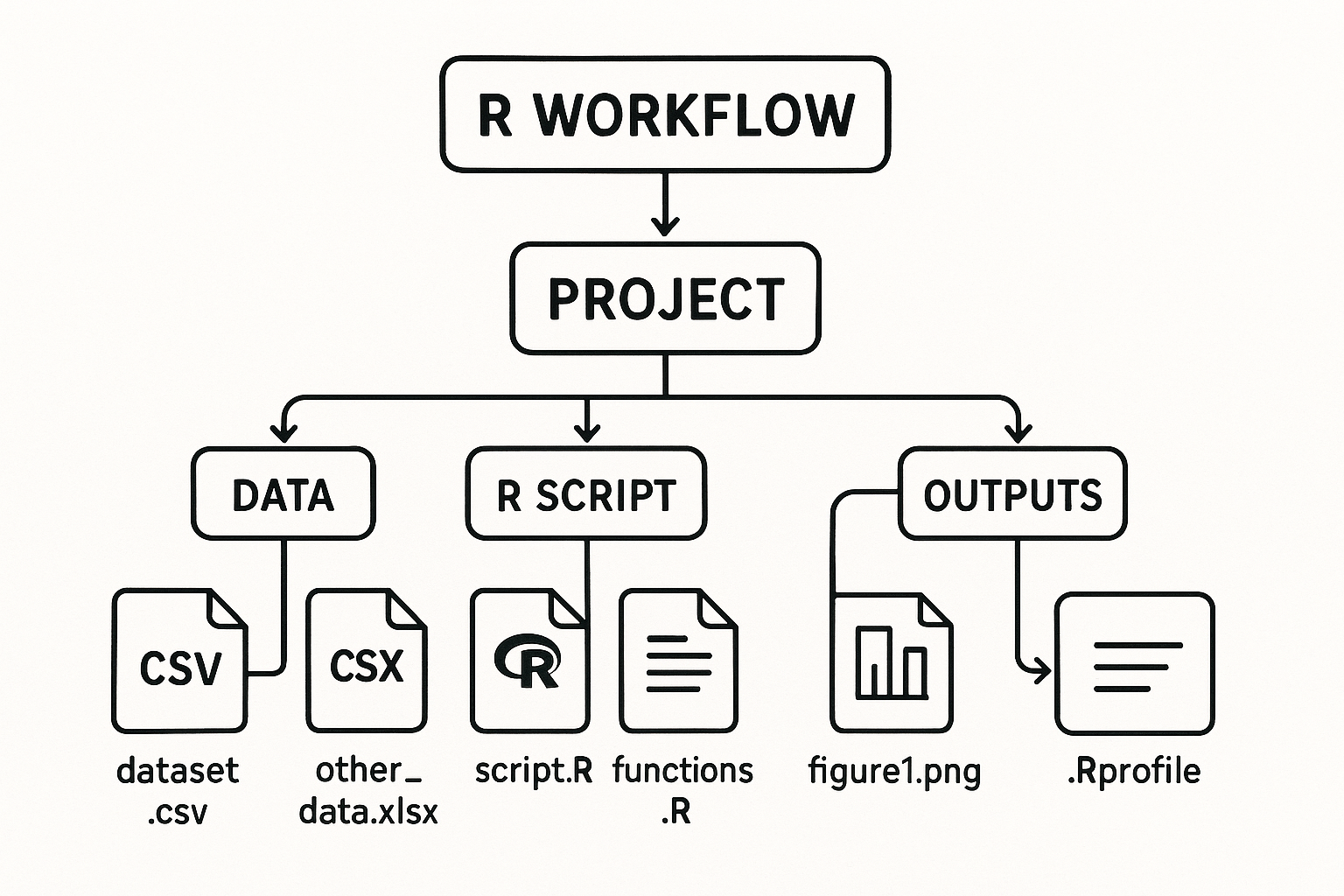
R Programming Project Structure and Workflow
⁂