3.1.1. Introduction to R Shiny
R Shiny empowers data professionals to transform analytic code into fully-interactive web applications without touching a single line of HTML, CSS, or JavaScript. By coupling R’s statistical engine with a declarative reactive layer, Shiny has become the de-facto standard for rapid dashboarding, ad-hoc exploration tools, and production-ready analytic products across academia and industry.
3.1.2. What is Shiny?
Shiny is an open-source R package for building interactive web applications directly from R code, using a browser as the user interface and a live R session as the computational back-end. It was introduced in 2012 by RStudio (now Posit) and has since become a cornerstone of the modern R ecosystem for data communication and decision support.
Shiny’s secret sauce is reactive programming: developers describe relationships between inputs and outputs, and Shiny automatically recomputes only the necessary parts of the application whenever an input changes, ensuring instantaneous feedback.
Below is a conceptual flow of a Shiny application, highlighting its two principal components—the UI and the server—connected by the reactive graph.
R Shiny Application Architecture Flow Diagram

3.1.3. Key Features and Use Cases
3.1.3.1. Reactive Programming
Shiny constructs a dependency graph of reactive sources (inputs), reactive conductors (expressions), and reactive endpoints (outputs). When a source changes, every downstream node is lazily re-evaluated and cached, ensuring efficiency even in complex apps.
3.1.3.2. UI–Server Architecture
- UI layer: declares inputs, outputs, and layout in R functions translated to HTML.
- Server layer: houses R logic,
reactive()expressions, andrender*()endpoints, isolated per user session for true concurrency.
3.1.3.3. R-Native Workflow
Because Shiny is written in R, you can reuse ggplot2, dplyr, plotly, DT, leaflet, and hundreds of domain packages without leaving the language.
3.1.3.4. Ecosystem and Extensibility
Shiny’s modular design encourages extensions such as shinydashboard for dashboards, bslib for theming, shinyWidgets for rich inputs, and golem for production scaffolding.
3.1.3.5. Deployment Options
Apps run locally, or deploy via shinyapps.io, open-source Shiny Server, Posit Connect, Docker/Kubernetes, or other cloud platforms, each offering different trade-offs for authentication, scaling, and maintenance.
3.1.3.6. Representative Use Cases
- Interactive dashboards for KPIs and monitoring.
- Exploratory data analysis (EDA) tools with filters and dynamic plots.
- Automated reporting that combines narrative and interactivity.
- Geospatial viewers using leaflet layers and shapefiles.
- Model explainers and what-if simulators for stakeholders.
Feature Map

3.1.3.6.2. Use-Case Storyboard
Shiny Application Use Case Examples

3.1.4. Installing Shiny and Setting Up Your Environment
3.1.4.1. Install R and Posit RStudio
| OS | Steps (summary) | Verify |
|---|---|---|
| Windows | Download R 4.x from CRAN, run installer; then install RStudio Desktop | R.version.string ≥ 4.0 |
| macOS | Install .pkg from CRAN; drag RStudio to /Applications |
R --version |
| Linux (Ubuntu) | sudo apt update && sudo apt install r-base r-base-dev |
R --version |
3.1.4.2. Install Shiny
install.packages("shiny")      # core framework
library(shiny)
stopifnot(packageVersion("shiny") >= "1.7.0")
3.1.4.3. Install Key Ecosystem Packages
install.packages(c(
  "shinydashboard","shinyWidgets","DT","plotly","leaflet",
  "bslib","thematic","shinycssloaders","shinyjs","fontawesome",
  "dplyr","ggplot2","tidyr","readr","pool","RSQLite","httr",
  "golem","config","promises","future","rsconnect","shinytest2"
))
3.1.4.4. Troubleshooting
- Use
.libPaths()to confirm library directories. - On Windows, set
type = "binary"if source compilation fails. - If R is not detected in RStudio, set the path under Global Options → General.
3.1.4.5. (Optionally) Install Shiny Server on Ubuntu
sudo su - -c "R -e \"install.packages('shiny', repos='http://cran.rstudio.com/')\""
wget https://download3.rstudio.org/ubuntu-18.04/x86_64/shiny-server-1.5.18.987-amd64.deb
sudo dpkg -i shiny-server-1.5.18.987-amd64.deb
sudo ufw allow 3838/tcp   # open firewall
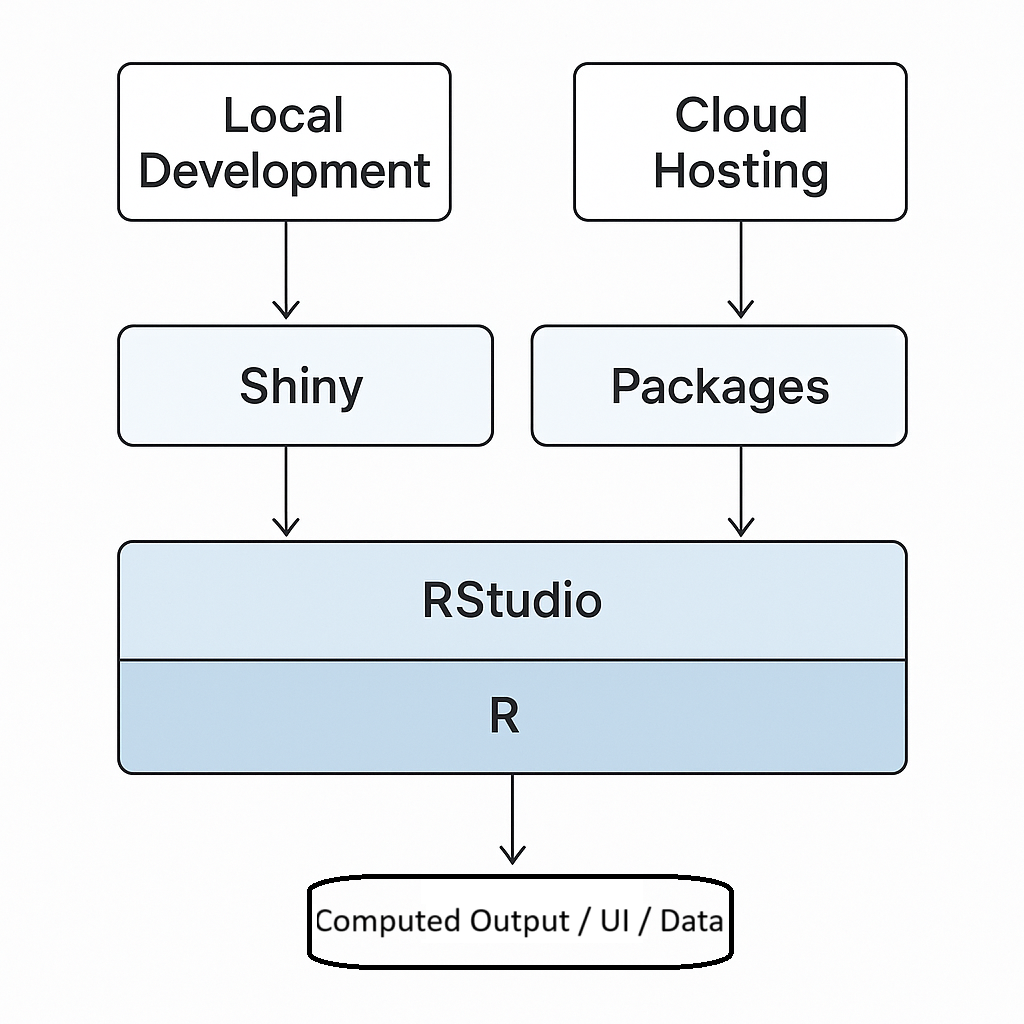
R Shiny Development Environment and Deployment Workflow